"Who delivers flowers to Fitzroy today?"
That is exactly how customers search now, and increasingly, it is exactly how they ask ChatGPT or Google's AI too. The answer to that question does not come from a page of links. It comes from your delivery suburb list, read directly off your website.
Why This Matters
Google and AI tools do not guess where you deliver. They read it, straight off your delivery page, in a structured format they can trust. A messy or incomplete delivery list is not just a display problem, it is a visibility problem. If your delivery suburbs are not clearly and correctly listed, search engines and AI assistants cannot confidently tell a customer you deliver there, even when you do.
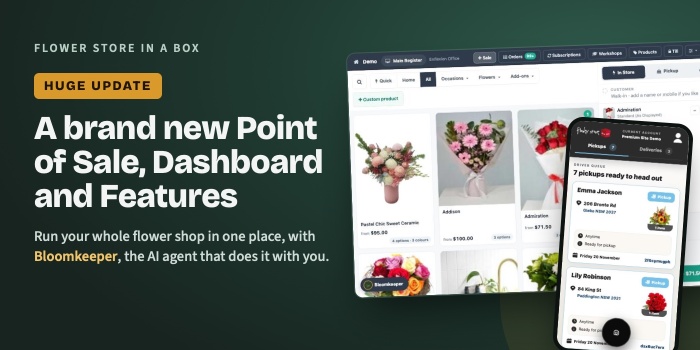
This is also the exact groundwork Bloomkeeper needs. One of the things Bloomkeeper does is find "areas where people are searching but can't find you yet", suburbs where there is real demand you are missing out on. It can only do that well when your existing delivery suburb list is clean, complete, and properly structured to begin with.
In short: a properly crafted delivery suburb list is not decoration. It is part of your shop's structured data, it feeds directly into how Google and AI tools understand where you deliver, and it sets Bloomkeeper up to find you more of the right customers.
One Important Distinction
This is the part worth slowing down on: the layout you pick, Alphabetic, by Amount, or Columns, is about what your customers see on the page. That is a design choice, entirely down to your taste and what suits your site.
It is not the part that matters for Google and AI visibility.
Google and AI tools do not "see" your page the way a customer does. They read the code underneath it. What actually drives your visibility is the underlying code structure these new elements build automatically, the properly formatted, machine-readable markup behind the list, not how it is laid out on screen. A beautifully laid out delivery list built on the old, unstructured elements does nothing for your visibility. A plain, simple list built on the new, properly structured elements does everything for it.
So choose whichever layout suits your site's look. Every one of the six new elements builds the correct underlying structure, so the visibility benefit comes built in regardless of which you pick. It lives in the code underneath, not the layout on top.
What We've Updated
We have added new ways to display your delivery suburb list, so you can build one that is clear for customers and clean for search engines and AI, whatever your suburb list looks like.
Three layout styles, each available with or without pricing shown:
- Alphabetic - suburbs listed in simple alphabetical order, easy to scan.
- By Amount - suburbs grouped by delivery price, handy if cost is what customers ask about most.
- Columns - a tidy, multi-column layout that fits a long suburb list into a small amount of page space.
That gives you six options in total:
- Delivery Suburbs Alphabetic
- Delivery Suburbs Alphabetic with Price
- Delivery Suburbs by Amount
- Delivery Suburbs by Amount with Price
- Delivery Suburbs Columns
- Delivery Suburbs with Price Columns
If you are still using the older Delivery Postcode List elements, they still work, but we would recommend updating. The new layouts are built to present your delivery suburbs the way Google and AI tools read them best.
How to Update Your Delivery Page
- Go to your Delivery page.
- Click Edit Page Template in the side menu.
- Delete your old delivery page elements.
- Click Add Design Element.
- Choose the delivery_suburbs_listing category from the list on the right.
- Pick the layout you want and click Add Element.
That's it. Your delivery suburb list is now live in one of the new layouts.
Which One Should You Choose?
Pick the layout on look and feel alone, it makes no difference to your visibility, since all six build the same correct underlying structure.
- Delivering to a handful of suburbs? Alphabetic keeps it simple.
- Got a long list? Columns saves space and still looks tidy.
- Delivery fee changes a lot by suburb? Consider one of the with Price options. This one does affect what search engines and AI tools can read, since showing the price adds it as real data in your structured list, not just something customers see.
Why It's Worth Doing Now
We built almost 25 years of florist ecommerce experience into this platform, and one thing has stayed constant the whole time: florist orders run on delivery suburb and delivery date, not brand recognition. A customer decides based on one thing first: can you get flowers to them, today or tomorrow, where they need them. Your delivery suburb list is often the single most important piece of information on your entire site.
With Bloomkeeper now reviewing every shop's structured data and suburb opportunity, getting this list properly set up is one of the simplest, highest-value updates you can make today.
Quick Summary
- Your delivery suburb list feeds directly into your structured data, how Google and AI tools understand and answer "who delivers to me" searches
- It is also the groundwork Bloomkeeper needs to find suburb opportunities you are currently missing
- Six new layouts are available: Alphabetic, by Amount, and Columns, each with an optional price display
- Update from your Delivery page: Edit Page Template, delete old elements, then Add Design Element and choose delivery_suburbs_listing
- Older Delivery Postcode List elements still work, but updating is recommended
Any questions?
The steps above are designed so you can update your own delivery page in a couple of minutes, no developer needed. If you get stuck, submit a support request from your dashboard and we will point you in the right direction.