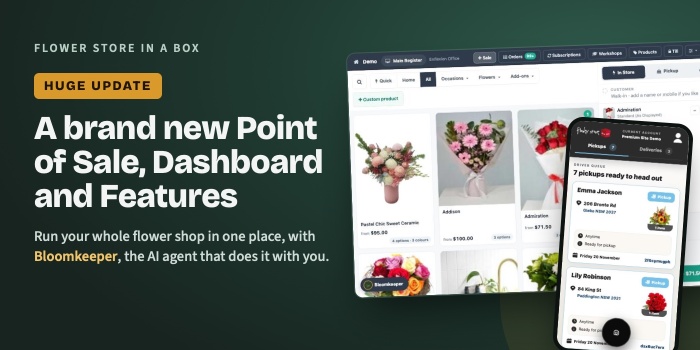
If you see an Upgrade to Stripe Connect message in your dashboard, this is what it means.
Stripe Connect is the new way your shop links to Stripe. It takes about 2 minutes. You keep the same Stripe account, the same payouts and the same bank account. Nothing changes for your customers, except they get more ways to pay.
What you get
More ways for customers to pay
One Stripe connection gives your checkout all of these:
- Visa, Mastercard and Amex
- Apple Pay and Google Pay
- Afterpay, Zip and Klarna
- Link, Stripe's one-click checkout
Most flowers are bought on a phone. Paying with one tap, or in four instalments, means fewer customers give up at the last step.
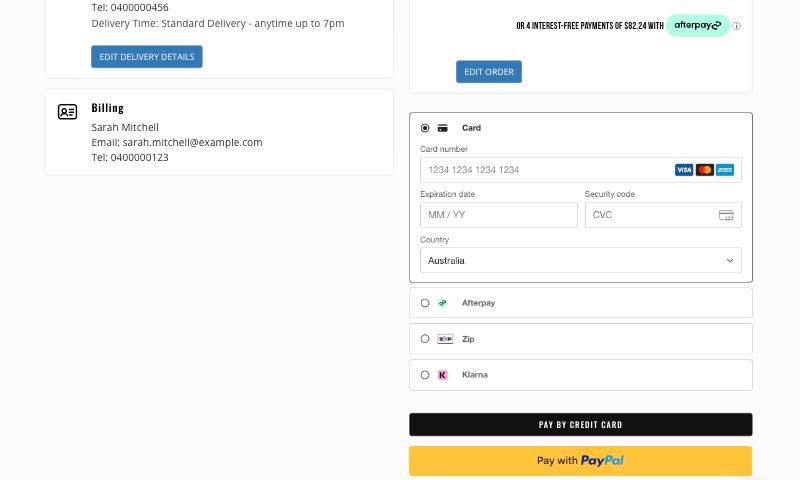
The new payment page with Stripe Connect. Apple Pay and Google Pay show automatically on phones and computers that have them set up.
Your payment options shown on Google
Google can see every way your customers can pay, wallets included. That helps your Google Merchant listing and how your products show in Google Shopping.
Tap to Pay on your phone
Our new point of sale is coming soon with Tap to Pay for iPhone and Android. Customers tap their card or phone on your phone. No card machine needed. Tap to Pay only works with Stripe Connect.
Less to manage
Refunds from the order screen, payment status on every order, and no secret keys to copy and paste.
How to upgrade
- Click Upgrade now on the message in your dashboard.
- Sign in to your Stripe account and click Connect.
- That's it. You come straight back to your dashboard.
If Stripe asks for any extra details, it tells you exactly what it needs.
Once you're connected, you can choose which payment options show at your checkout in Settings, on the Stripe Connect card.
Common questions
Will my website stop taking orders while I switch?
No. Your checkout keeps working the whole time.
Do I need a new Stripe account?
No. You connect the one you already have.
Does it cost more?
No. There's no extra fee from us. You pay Stripe's normal fees on your own Stripe account, just like now.
Will my payouts change?
No. Same account, same bank, same timing.
What if I click Remind me next week?
The message comes back each week until you upgrade. The old Stripe connection is being retired, so it's best to do it soon.
Need a hand?
Create a support request in your dashboard, call the team on 1300 730 560 or email support@enflexion.com.au.