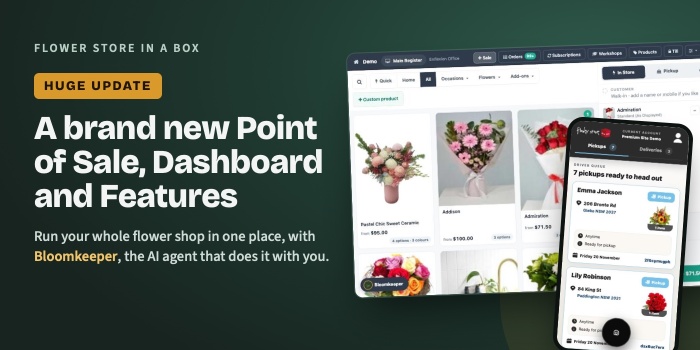
This is the biggest update we have ever made to Flower Store In a Box. We have built a brand new dashboard from the ground up, and it's available right now. Everything you need to run your flower shop is now in one place:
- Bloomkeeper, an AI agent that knows your shop and guides you through everything
- Help and support, totally rebuilt
- Your florist ecommerce website
- Themes, AI design and managing your website
- SEO, AEO and GEO, done for you
- Pre-defined marketing campaigns
- Orders management and workflow
- Delivery driver app and florist worker app
- Point of Sale, in store pickup and manual delivery orders
- Tap to Pay in store with your mobile phone (coming soon)
- Stem counter cost analysis
- Subscriptions
- Workshops
- Customer loyalty, online and in store
- Reports
- An AI connector for Claude, ChatGPT, Perplexity and more
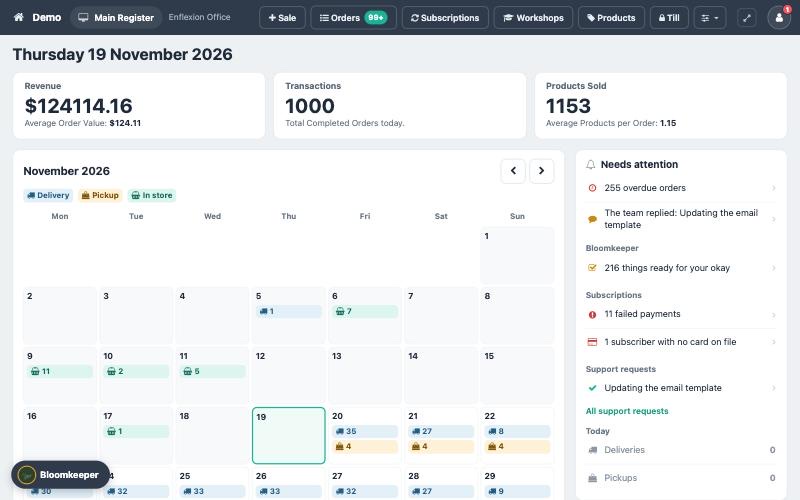
The new Today screen: the day's sales, every delivery and pickup on a calendar, and what needs you on the right.
Bloomkeeper, an AI agent that guides you through everything
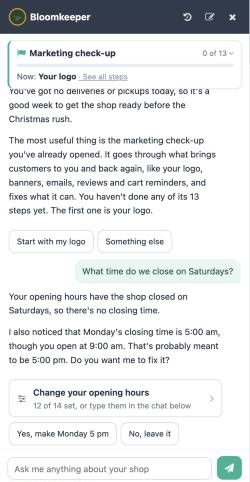
Bloomkeeper knows your shop: your orders, your opening hours, your settings and your customers. Ask it anything in plain English and it answers, takes you to the right screen, or does the job for you. Ask it to update your website, change your delivery costs or move your cut off time, and it's done. If it spots something wrong, like a closing time of 5:00 am, it tells you and offers to fix it.
If you've used the original Bloomkeeper marketing tool, you'll notice it has changed. We've rebuilt it from the ground up and brought it into this one AI assistant, so it's much easier to use, and it now does far more than marketing. Your marketing, your settings, your help and your support now all live in the same place, in one conversation, on every screen of your dashboard.
Help and support, totally rebuilt
We've also completely rebuilt how help and support works. No more searching help articles or waiting for a reply to find out how to change something.
Ask Bloomkeeper a question and it answers straight away. If something needs changing, it asks you for the details and updates it for you, or shows you exactly where to do it yourself. You choose.
And if Bloomkeeper can't answer your question, you can send the rest to our support team with one click, along with everything it has already tried, so one of us can pick it up and get it done. Replies come back into Bloomkeeper, so everything stays in one place.
It means you get answers faster and you have so much more control over your shop.
Your florist ecommerce website
Your website, your products, your checkout and your delivery areas all run from the same dashboard as your shop counter. One system, one set of products, one list of orders.
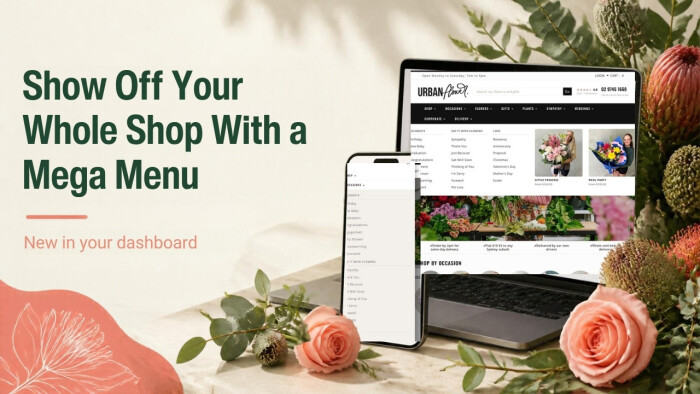
Themes, AI design and managing your website
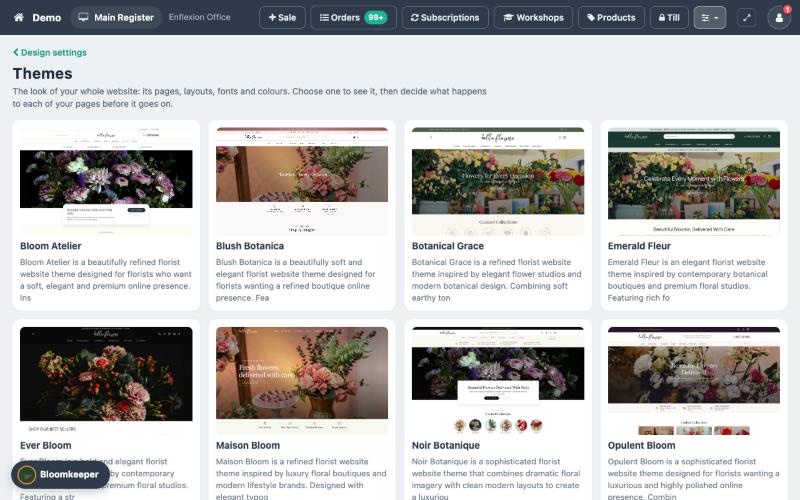
Pick from a range of florist themes and see each one before you choose. Then just tell Bloomkeeper what you'd like changed: "make the buttons dark green", "make the headings bigger", "change the wording in the menu". You see the change on a preview before it goes live. Pages, blog posts, banners, pop ups and menus can all be written and built with AI too.
SEO, AEO and GEO, done for you
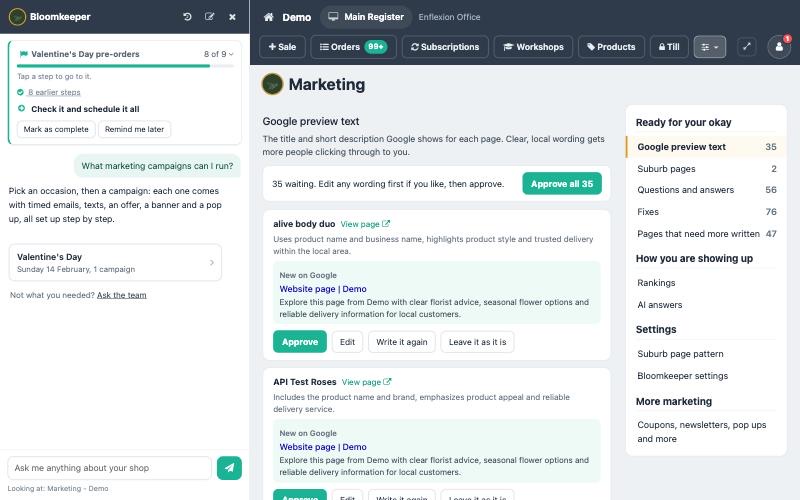
Being found on Google and in AI answers like ChatGPT is the work nobody has time for. Bloomkeeper learns how your shop sounds, then writes your Google preview text, suburb delivery pages and questions and answers, and lines them up for your okay. Approve one, approve the lot, or ask it to write it again.
Pre-defined marketing campaigns
Bloomkeeper brings step-by-step guides at the right time of year: Valentine's Day, Easter, Mother's Day and Christmas, plus a marketing check-up and a website setup guide. It works through each step with you, from your banner and delivery days to your newsletter, and ticks each one off as it's done.
Orders management and workflow
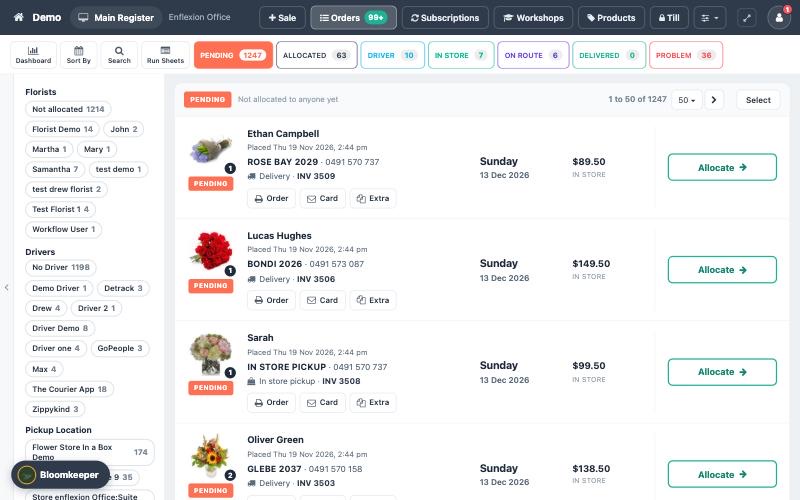
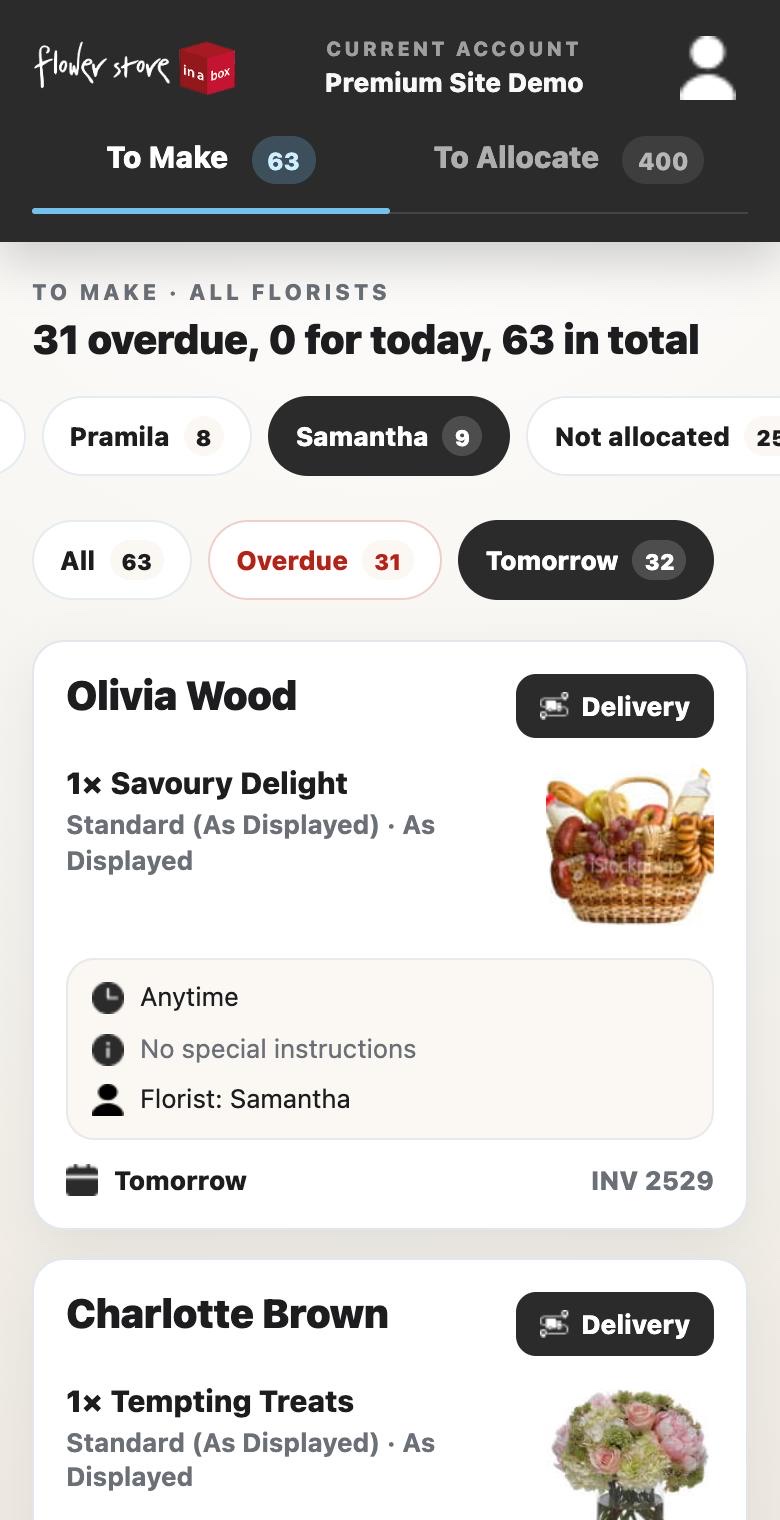
Every order on one board: pending, allocated, with the driver, on route and delivered. Filter by florist or driver, print the order, the card or the extras, and move each order on with one button.
Delivery driver app
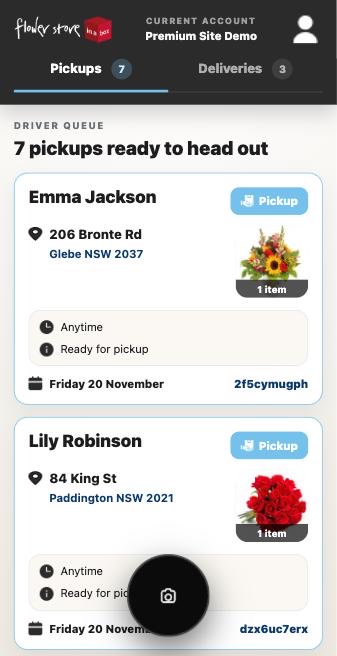
Your drivers get their own app on their phone, using their normal dashboard login. It has built-in route optimisation and navigation, QR code scanning to pull up an order, and proof of delivery with photos and notes, including "left in a safe place" and "unable to deliver". Read more about the driver app.
Florist worker app
Your florists see the orders allocated to them on their phone or tablet in the workroom, and mark them made when they're ready to go.
Point of Sale, in store pickup and manual delivery orders
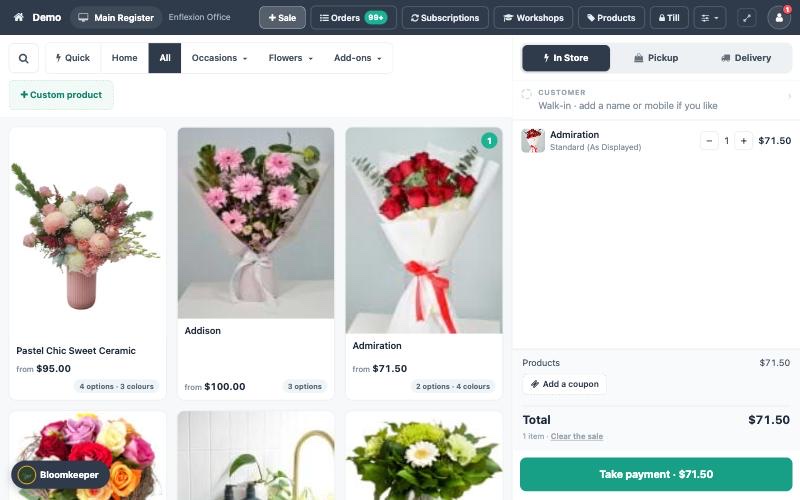
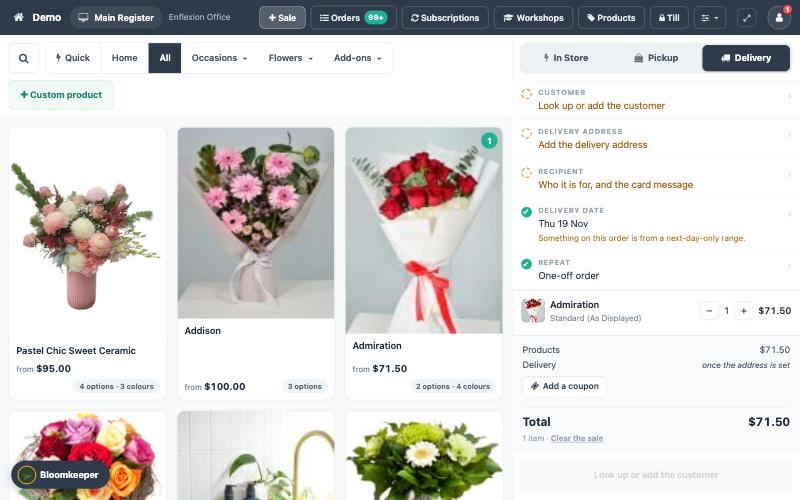
The new Sale screen is built for the counter. Tap a product or a quick button, take payment, done. Switch to Pickup or Delivery and the same screen takes a phone order: customer, delivery address, recipient and card message, and delivery date. There's a proper till too, with a float, cash in and out, and a close out at the end of the day.
Tap to Pay in store (coming soon)
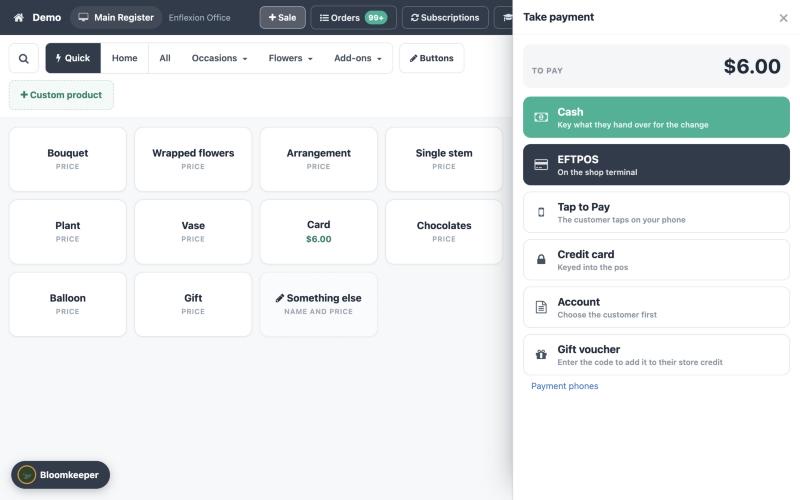
Coming soon: no card terminal needed. With Tap to Pay, your phone becomes the card reader, and customers tap their card, phone or watch to pay. It will sit right on the payment screen next to cash and EFTPOS. It needs Stripe Connect, which takes about two minutes to set up from your dashboard.
Stem counter and cost analysis
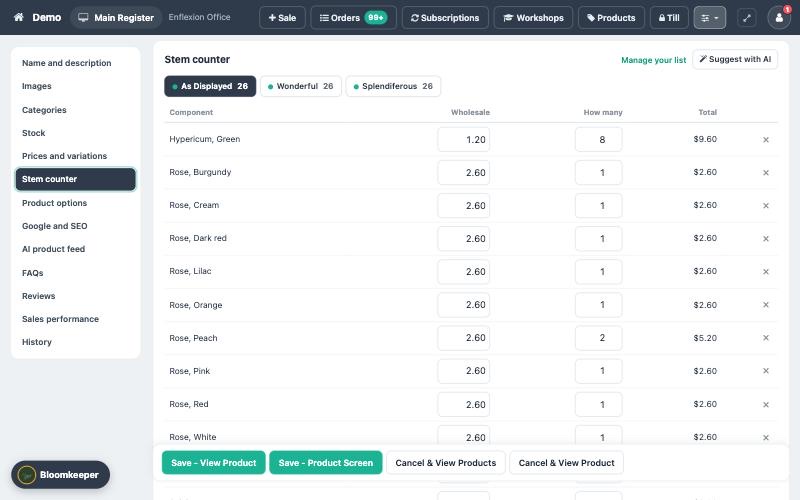
Know what every design costs you to make. Add the stems that go into a product, or let AI suggest them from the photo, and the stem counter works out the wholesale cost and your margin against the retail price.
Subscriptions
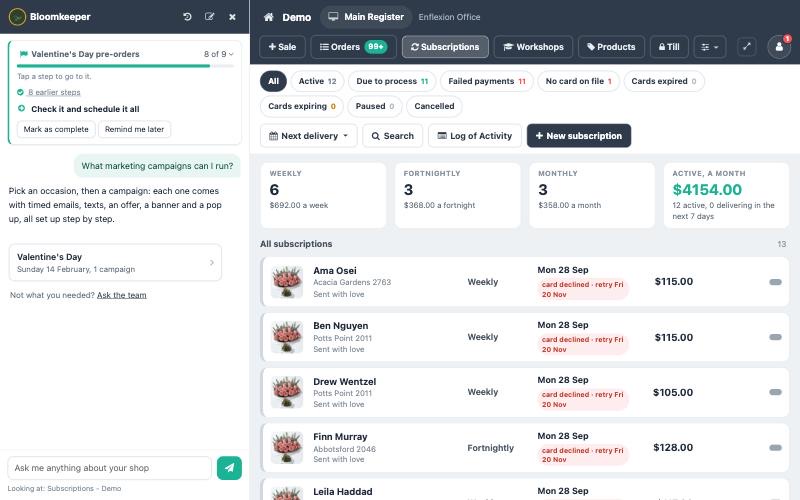
Weekly, fortnightly and monthly flower subscriptions, charged automatically. See who's due, whose card has failed and who's paused, all on one screen.
Workshops
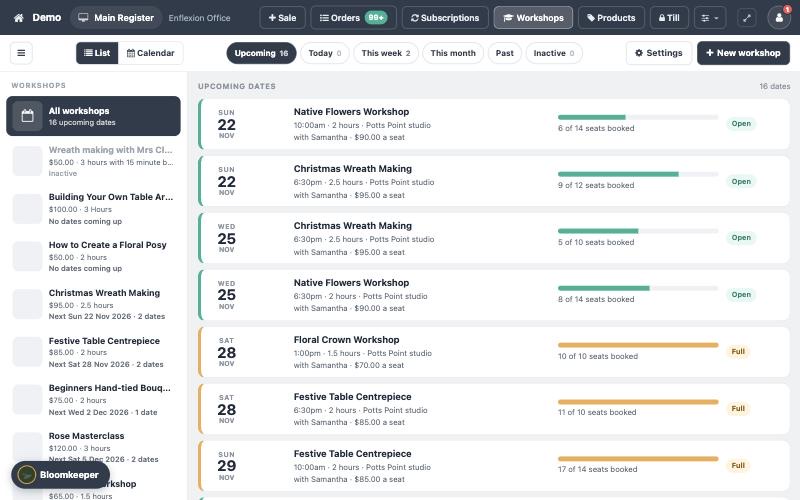
Run workshops and classes: set the dates and seats, take bookings, and see at a glance how full each one is and who's coming.
Customer loyalty, online and in store
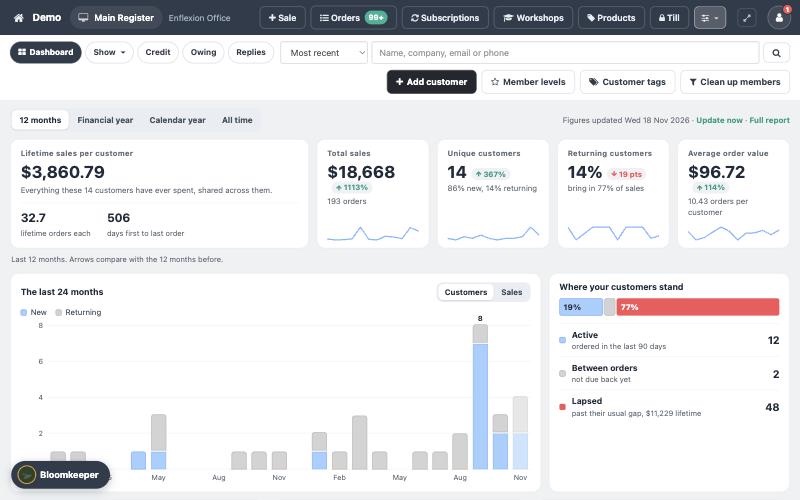
Set up loyalty levels like Bronze, Silver and Gold based on how much each customer has spent. When they reach the next level they move up automatically, get a congratulations email (and an SMS if you like), and their discount applies to future orders. It works the same on your website and at the counter. Read more about the loyalty program.
Reports
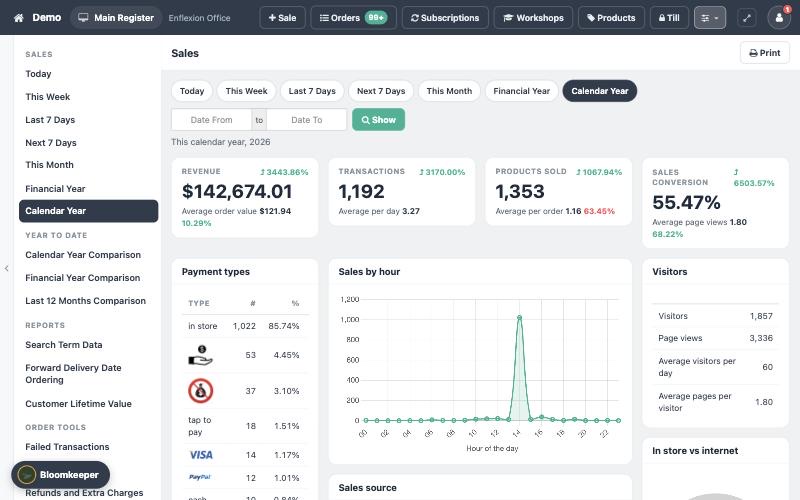
See how your shop is going at a glance: revenue, transactions, products sold, payment types, sales by hour and website visitors, for today, this week, this month or the whole year. Compare this year with last year, and dig into delivery dates ahead, search terms and customer lifetime value.
An AI connector for Claude, ChatGPT, Perplexity and more
Prefer to use your own AI? Your site has an API you can connect to Claude, ChatGPT, Perplexity and other AI assistants. From a single conversation you can update blog posts, pages, products, categories, suburb pages and FAQs, and check on orders. You'll find your API key under Settings > Advanced Settings > API. It's still experimental, so use it with care. Read more about connecting AI tools.
More to come
This is just a first look. Over the coming weeks we'll be sharing much more about each new feature, including short videos showing how it all works.
Try it now
The new dashboard is available right now. To have a look, go to Settings > Advanced Settings > Point of Sale in your dashboard.
If you want to swap over now, just ask Bloomkeeper to "turn on the new dashboard".
It's still in testing, so please use it at your own discretion. We're still adding the marketing campaigns to the system and we're still refining Bloomkeeper, so you'll see it keep getting better over the coming weeks.